
Best Free Online Image Converter Tools
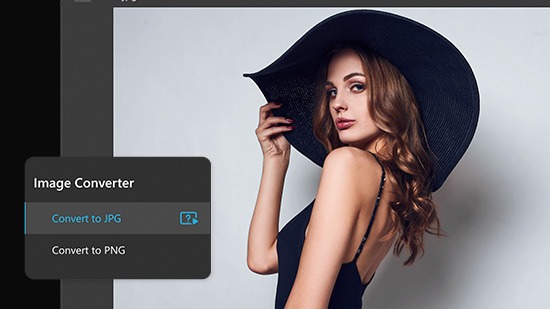
Online image converter tools have become essential for bloggers, designers, developers, students, and website owners. Whether you need to convert JPG to PNG, WEBP to JPG, or compress images for faster websites, online image converters make the process fast and simple without installing software.
In this article, we will explore some of the best free online image converter tools and their advantages.
Why Use Online Image Converter Tools?
Online image converters are popular because they offer:
-
Fast image processing
-
No software installation
-
Support for multiple image formats
-
Mobile-friendly access
-
Free usage
-
Bulk image conversion support
These tools are especially useful for optimizing images for websites, social media, graphic design, and digital marketing.
1. Kridosono
Kridosono is a modern online platform that provides free image conversion and QR code generation tools. It supports multiple formats including JPG, PNG, WEBP, AVIF, SVG, ICO, TIFF, and more.
Key Features
-
Fast bulk image conversion
-
Easy-to-use interface
-
Modern format support
-
Free online access
-
No installation required
-
Mobile and desktop compatible
Kridosono is ideal for users who want quick and simple image conversion directly from their browser.
2. Convertio
Convertio is one of the most popular online file conversion platforms. It supports image, video, audio, and document conversion.
Advantages
-
Supports hundreds of file types
-
Cloud-based conversion
-
Drag-and-drop upload
-
Easy user experience
However, free users may encounter file size limitations.
3. CloudConvert
CloudConvert is a professional online conversion platform with advanced customization options.
Features
-
High-quality image conversion
-
API support
-
Multiple format compatibility
-
Compression settings
-
Secure cloud processing
CloudConvert is often preferred by developers and professional users.
4. ILoveIMG
ILoveIMG focuses specifically on image editing and optimization tools.
Popular Tools
-
Resize image
-
Compress image
-
Convert image formats
-
Crop and rotate images
-
Watermark support
Its simple interface makes it beginner-friendly.
5. FreeConvert
FreeConvert offers image conversion with additional optimization and compression tools.
Benefits
-
Supports large files
-
Multiple export settings
-
Bulk conversion support
-
Browser-based processing
It also supports modern image formats such as WEBP and AVIF.
Important Features to Look For
When choosing an online image converter, consider these factors:
Supported Formats
A good converter should support:
-
JPG / JPEG
-
PNG
-
WEBP
-
AVIF
-
GIF
-
SVG
-
TIFF
-
BMP
-
ICO
Conversion Speed
Fast processing improves productivity and user experience.
Security
Choose tools that automatically delete uploaded files after processing.
Bulk Conversion
Batch processing can save significant time when converting multiple images.
Mobile Compatibility
Responsive tools work better across smartphones and tablets.
Best Image Formats for Different Uses
JPG
Best for:
-
Photos
-
Social media
-
Small file sizes
PNG
Best for:
-
Logos
-
Transparent backgrounds
-
Graphics
WEBP
Best for:
-
Website optimization
-
Faster loading speed
AVIF
Best for:
-
Modern websites
-
Advanced image compression
Are Free Online Image Converters Safe?
Most trusted platforms process files securely and automatically remove uploads after a short time. However:
-
Avoid uploading sensitive files
-
Use trusted websites
-
Check privacy policies before uploading
Conclusion
Free online image converter tools make image processing easier, faster, and more accessible than ever. Whether you need professional-quality PNG files, compressed WEBP images, or quick JPG conversions, there are many excellent tools available online.
Platforms like Kridosono, Convertio, CloudConvert, ILoveIMG, and FreeConvert provide reliable solutions for different image conversion needs.
Choosing the right tool depends on your workflow, preferred formats, and whether you need advanced features like bulk conversion or image optimization.